
Skip navigation
Med SpaAI Receptionists
An elegant med spa consultation room: soft neutral tones, a consultation chair, a vase of white flowers, warm light

AI Receptionist for Med Spa Consults and Calls

Our AI receptionist for med spa calls answers as your business, books consultations and routes clinical concerns to your on-call clinician. Try a fictional call in the browser to hear how your front desk could sound.

Consult requests, approved prices and clear clinician handoffs, day and night.

Request a 14-day free trial, up to 100 minutesPrivacySecurity

Keep consult requests moving while your team treats clients

Your receptionist answers forwarded calls while your team is in treatment, at lunch or away for the evening. A caller can leave useful details or request a consultation without waiting for your front desk.

  • During treatmentsGive callers somewhere to ask about services while your front desk is occupied.
  • After closingCapture consultation requests when someone has time to call in the evening.
  • During busy periodsCollect clear messages so your team can return calls with context.
Learn more

A missed call can mean a consultation request your team never gets to discuss. During a busy booking period, the phone might ring while your receptionist is welcoming a client or your clinician is finishing treatment.

We built an AI answering service for medspa owners who want those callers to have a next step. Forward all calls, or choose busy, no-answer or after-hours coverage. Your receptionist can collect a message, book a consultation in Google Calendar or take details for your callback.

Your team still handles the personal judgment behind treatment decisions. The receptionist keeps the conversation focused on front-desk tasks and passes clinical concerns to your clinician. Explore med spa call handling for a closer look at that division.

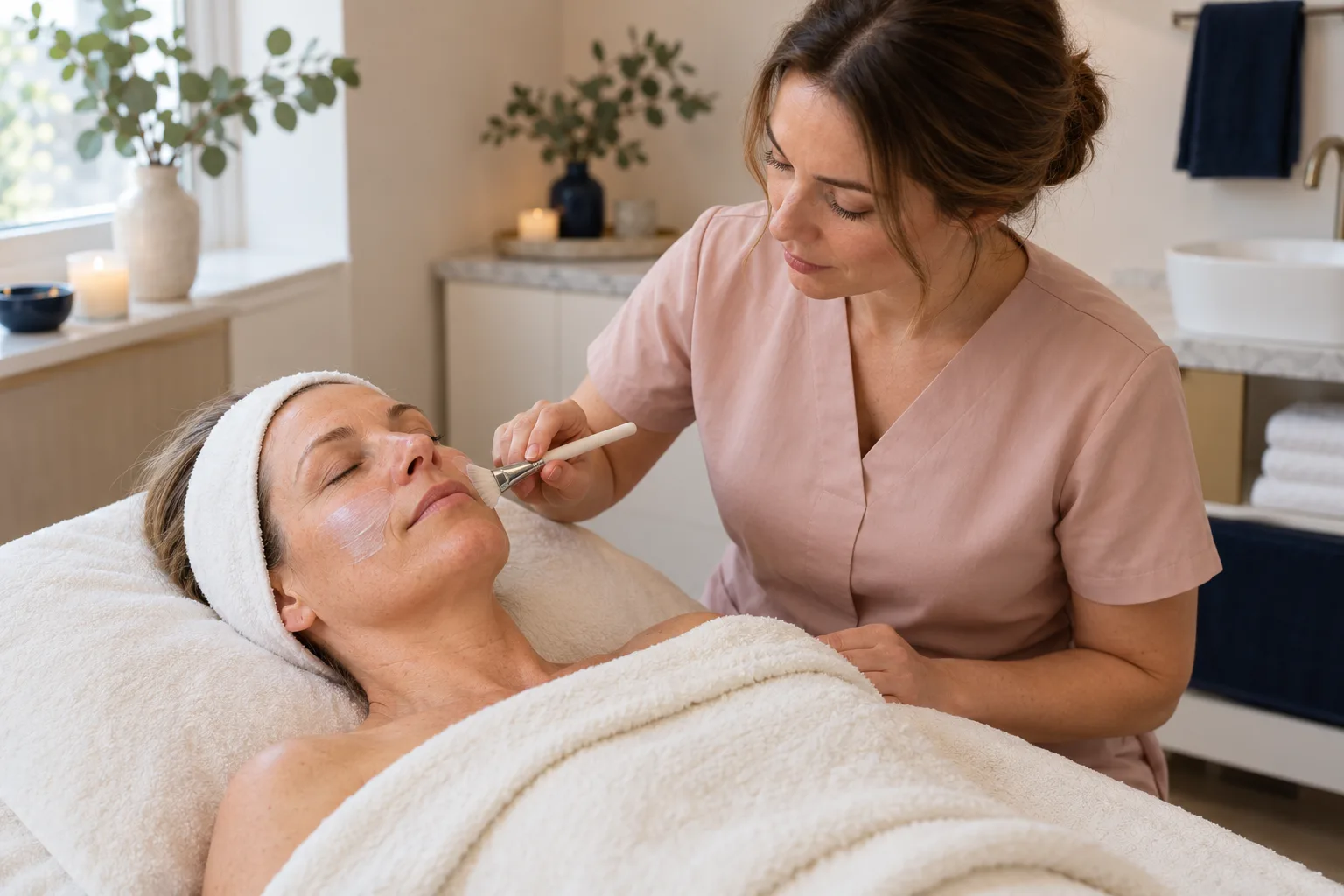
A skin-care specialist applying a facial treatment to a relaxed client lying on a treatment bed

Collect booking details and route clinical concerns

Your receptionist asks about the requested service, records the caller's details and follows your instructions for the next step. Post-treatment concerns go to your clinician, with emergency callers directed to 911.

  • Consultation intakeRecord the requested service and caller details before booking or arranging a callback.
  • Approved answersAnswer service and price questions using the information your spa supplies.
  • Clinical handoffsRoute post-treatment reactions to your clinician without offering medical advice or treatment recommendations.
Learn more

Your receptionist collects the details your team needs to continue the conversation. For a consultation request, that means asking which service interests the caller and recording their contact details. It can book in Google Calendar or pass the request back to you.

For a post-treatment reaction, vision change or trouble breathing, the script directs emergency callers to 911 and reaches your clinician now. The AI does not diagnose, give medical advice or decide how serious a symptom is.

You receive a call summary, urgency tag, transcript and recording by email and app push notification. An urgent warm transfer gives your on-call person a short summary before they press 1 to accept. Read about post-treatment call routing before setting your instructions.

Try consult, price and post-treatment demo calls

The browser demo lets you hear how a fictional med spa handles different calls. Listen for the greeting, the intake questions and the point where the receptionist brings in a clinician.

Sample business (fictional): Lumen Aesthetics

Which call? and press Talk to it.

IllustrationBooked10:42 a.m.

New message for Lumen Aesthetics

Botox consult booking.

Booked for Friday, 8 to 10 a.m. (example time). Confirmation is in the summary.

Part of the transcript (example)

  1. Assistant Thank you for calling Lumen Aesthetics. I am a virtual assistant, and this call is recorded. How can I help you?
  2. Caller Describes the situation: botox consult booking.
  3. Assistant Which day suits you? I have Friday morning open.

The whole transcript and the recording are in the dashboard.

What the owner receives after a call like this (example).

  • Consult requestAsk about a Botox consultation and listen for the booking questions.
  • Price questionAsk about a treatment price and hear an answer from the fictional spa's list.
  • Reaction callDescribe a fictional post-treatment concern and listen for clinician routing and emergency instructions.
Learn more

The demo below shows how your med spa AI receptionist handles a conversation, then turns it into something an owner can review. Start with a Botox consult request to hear the intake, or ask about a price to check whether the answer stays within the fictional spa's list.

Try a membership question, a treatment reschedule or a gift card inquiry to hear ordinary front-desk conversations. For the post-treatment scenario, listen for the move to a clinician instead of advice about symptoms.

The business and patients in these examples are fictional. Use invented details, then inspect the summary and transcript to judge what your team would receive. Open all six demo scenarios to compare the conversations before requesting a free trial.

Forward your number, then receive messages and bookings

Your receptionist answers as your business once your calls forward to it. We provide a local number and forwarding guide, then send call details to you by email and app push notification.

  1. 1Keep your numberChoose all-call forwarding or coverage for busy, unanswered or after-hours calls.
  2. 2Answer as your spaSupply your services, hours, price policy and clinician routing instructions.
  3. 3Review the outcomeSee summaries, urgency tags, transcripts and recordings in your dashboard.
Learn more

Forwarding sends calls from your existing business number to the local number we provide. Choose the coverage that suits your front desk, using the guide for your carrier or phone system. Make a test call before switching on coverage for real callers.

Your receptionist opens with a virtual-assistant disclosure and recording notice. It then answers from your business information, gathers the requested details and books appointments in Google Calendar or takes a callback message.

Call alerts arrive by email and app push, with a daily email digest for review. You can read transcripts, play recordings and check usage in the dashboard. See the setup process for how onboarding, forwarding and your first test fit together.

Sample dashboard with invented calls

Choose AI, live answering or voicemail for your front desk

Choose based on what you want a caller to accomplish: book or leave details with AI, speak with a live receptionist, or record a voicemail for your team to return.

  • AI receptionistHandles routine intake and consultation bookings using the instructions you provide.
  • Live answeringA person can bring conversational judgment to unusual or emotionally sensitive requests.
  • VoicemailGives callers a place to leave a message for your team's callback.
Learn more

AI suits calls where you can define the questions, answers and next step. A consultation inquiry or opening-hours question gives your receptionist a clear task. Clinical questions still need your clinician, regardless of who answers first.

A live receptionist can notice conversational nuance and adjust when a request is unusual. Your own front-desk staff also bring personal knowledge of your clients and daily schedule. Those strengths matter when choosing which calls to forward.

Voicemail may suit a business that prefers to return messages personally. It leaves the conversation, clarification and booking to your team. Compare the caller experience you want, then test an ordinary inquiry and a difficult scenario using our browser call demo.

Compare call costs, then check your monthly plan

Compare the charge for answering with the time your team spends returning messages. Our plan is $399 per month with 500 AI minutes included and $0.20 per extra minute.

  • AI call timeCompare your expected usage with the included monthly AI minutes.
  • Live coverageAsk how the provider charges for the hours and call handling you need.
  • Message callbacksInclude the staff time needed to clarify requests and arrange consultations.
Learn more

The useful cost of a call includes what happens after it ends. If your team has to call back to ask which consultation someone wanted, that conversation also takes staff time. A fuller message gives your front desk more context for the next step.

For AI, compare expected call time with your monthly allowance. For a live service or part-time hire, ask what coverage and follow-up work the arrangement includes. For voicemail, consider who will return messages during your busiest periods.

Our subscription is month to month. The free trial is available on request for 14 days, capped at 100 minutes, and a card is required before forwarding goes live. Review the plan and trial terms alongside the demo results.

Use call summaries alongside your spa software

You can enter the receptionist's call summaries into the software your spa uses. Direct connections to practice-management systems are not live; appointment booking is available in Google Calendar or handled through your callback.

Learn more

Call summaries give your team details to enter into its existing records. If you use Boulevard, Zenoti, Mangomint, Vagaro, AestheticsPro, Aesthetic Record or PatientNow, plan for that manual step. Direct software connections are planned by demand.

Google Calendar booking is available for appointments you want the receptionist to arrange there. If your main schedule lives elsewhere, choose message collection and have your front desk confirm the consultation through its usual process.

Try that workflow during your test call: make a fictional request, read the summary and decide whether your team has enough information to follow up. Check the current software connection status before choosing your booking approach.

  • Useful summariesReview the caller's request before entering the details into your spa software.
  • Calendar bookingBook consultations in Google Calendar when that matches how your team works.
  • Callback optionLet your team confirm appointments in the system it already uses.

Set your instructions and test before forwarding calls

You set up your receptionist through an onboarding chat, then test its answers and routing. Prepare your service list, approved prices, opening hours and on-call contact so the first test reflects your spa.

  1. 1Define your servicesTell the AI what your spa offers and what it does not.
  2. 2Set clinical routingName the on-call clinician and the order for urgent transfers or pages.
  3. 3Test real tasksCheck consult booking, approved price answers and a fictional post-treatment handoff.
Learn more

Setup starts with an email sign-in link and an onboarding chat of 10 to 15 questions. Your website and answers give the receptionist its business information. Include services you do not provide so a caller gets a clear answer.

Prepare your approved price list and decide which requests should become bookings or callback messages. Set the order for reaching your on-call clinician, then test a fictional concern to check that the right person receives it.

Before forwarding real calls, review the greeting, summary and booking outcome from your test. Change settings by telling the AI what you want in plain words. You can request a free trial; we email your sign-in link when ready.

Ask about disclosure, clinical routing and data handling

Ask any answering provider to show its greeting, a clinical handoff and the message your team receives. Those examples help you judge its fit for your spa more clearly than a feature list.

  • Hear the greetingCheck how the service explains who is answering and whether calls are recorded.
  • Test the handoffAsk what happens when a caller reports a fictional post-treatment reaction.
  • Review the recordInspect the information your team receives and how it can be deleted.
Learn more

Ask for a demonstration of the calls your spa actually receives. A consultation inquiry tests intake and booking; a price question tests whether the answer stays within your list. A fictional reaction call shows how quickly the conversation moves to your clinician.

Check who receives urgent calls and what happens when the first contact cannot take one. Ask how to review recordings, change instructions and cancel the service. Include the staff who will use the messages in your evaluation.

Our position on use with protected health information is the pending status (no business associate agreement is in place). Until that status is set, do not use the service with protected health information. Review our data-handling information before deciding which information to share.

Frequently asked questions

How does an AI receptionist work for my med spa?

We use your website and onboarding answers to teach your receptionist your services, hours, price policy and routing instructions. Once you forward calls, it answers as your business, asks for useful details and books in Google Calendar or collects a callback message. You receive a summary and call record to review.

Will callers know they are talking to AI?

Yes. Your receptionist says it is a virtual assistant and that the call is recorded at the start of the conversation. That disclosure cannot be switched off. Hear the greeting in the browser demo and judge whether its tone suits your premium brand before forwarding business calls.

Will it quote treatment prices?

Your receptionist answers price questions from the list your spa supplies. It does not invent a quote or promise treatment results. Include your price policy during onboarding, then test a fictional inquiry to hear how the answer stays within the information you have approved for callers.

What happens with side-effect or post-treatment calls?

Calls about a post-treatment reaction, vision change or trouble breathing are routed to your clinician now, with emergency callers told to call 911. The AI does not give medical advice, diagnose symptoms or make triage decisions. Set your on-call contacts and test the handoff using a fictional scenario.

Can it book consults and appointments?

Your receptionist can book appointments in Google Calendar or take the details for your team to call back. Choose the approach that fits your scheduling process. If your schedule is in spa software, your team can use the summary to arrange the appointment there; direct connections are not live.

Can I keep my business phone number?

Yes. Keep your existing number and forward calls to the local number we provide. You can choose all calls or limit coverage to busy, unanswered or after-hours calls. We provide a forwarding guide for your carrier or phone system and include a test call before you go live.

How will I receive messages and urgent calls?

Call alerts arrive by email and app push notification with a summary, urgency tag, transcript and recording. You also receive a daily digest email. For urgent routing, choose a warm transfer or page in your preferred contact order. During a warm transfer, your contact hears a summary and presses 1 to accept.

Can my callers speak Spanish?

Your receptionist speaks English and Spanish, and callers can switch languages during the conversation. Test a fictional booking request in the language your callers use. Review the resulting call record so you can judge both the conversation and the details your front desk receives afterward.

What happens if the receptionist does not know an answer?

It can take a message and your caller's details for a callback rather than supply an answer outside your business information. Clinical questions go to your clinician. Review the transcript to see what was missing, then tell the AI any approved business details you want it to use on future calls.

Can I try it before paying and cancel later?

Start with the browser demo, which needs no signup. Request a free trial of 14 days, capped at 100 minutes; a card is required before forwarding goes live. Your subscription is month to month, and you can cancel online in one click, effective at the end of your paid month.

Hear your next consultation call in the demo

Try a fictional call, then review the message it creates. Request a free trial; we email the sign-in link when ready so you can add your spa's details.

Try a consult call Request a free trial